Searching the Atlas
There are two main ways to search the Atlas:
- Regular searching of the Atlas (non-occurrence records) – species information pages, data sets, Atlas static HTML site pages
- Search for occurrences records – sightings, specimens, molecular data, images, conservation & sensitive species statuses
In addition, there is a separate subset searching method of 1. Regular searching, for searching Data sets only.
Where to find these search methods
On the Home page. ‘Search the Atlas’ is prominently displayed at the top of the page below the header, and on all other pages as a search field in the header, e.g. on the Blogs & News page. Both ‘Search the Atlas’ methods look for non-occurrence records.


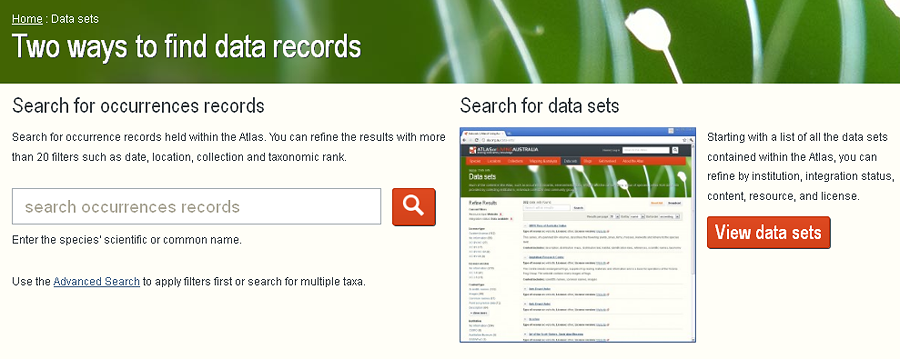
On the Data sets page, found by clicking the Data sets icon on the home page. Search for occurrences records is on the left, and search for Data sets only is on the right.
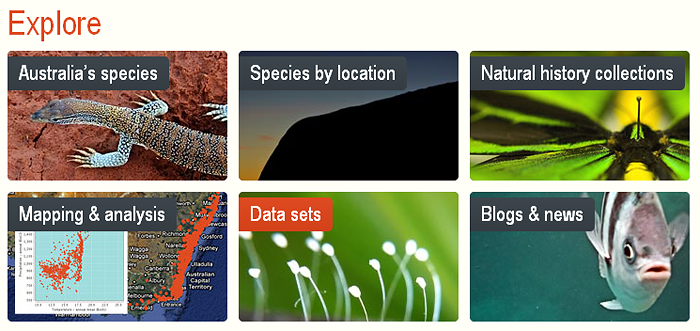
Regular searching the Atlas
To ‘Search the Atlas’ for all non-occurrence records, not just data sets (as mentioned above), conduct a search on the home page, or in the search field in the header of every page except the home page.
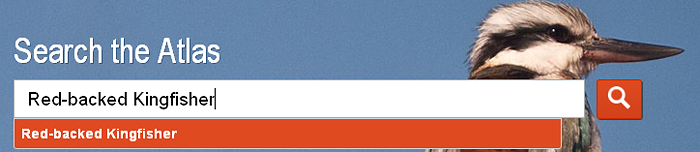
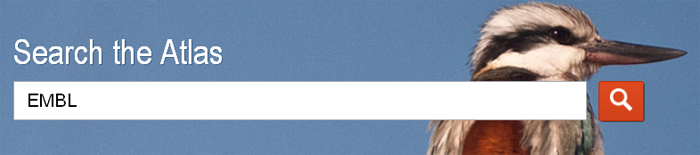
To reiterate, the ALA home page search, searches the ALA Word Press static HTML pages, all data sets, and species information pages. It does not search for individual occurrence records – sightings, specimens, molecular data, images, conservation & sensitive species statuses – but does find the name and acronym of the data sets holding such records.
The ‘Search the Atlas’ search field at the top of every non-home page does the same thing.
More detail to be added later »
Searching for occurrence data in the Atlas
To search for individual occurrence records (as mentioned above), click on the ‘Data sets‘ button on the home page. Then click on the ‘Search for occurrences records’ to the left of the page. See image above.
More detail to be added later »
Searching for data sets in the Atlas
Data sets hold digitised occurrence records. They represent many different types of record (as mentioned above).
To search for data sets, click on the ‘Data sets’ button on the home page. Then click on the ‘View data sets’ to the right of the page. See images above.
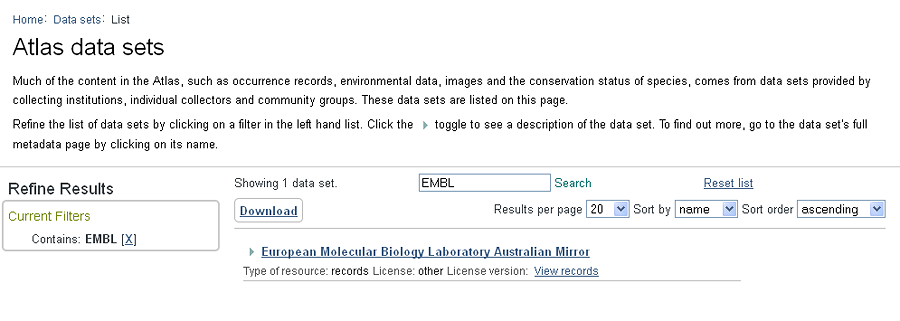
Click the Data set name e.g., European Molecular Biology Laboratory Australian Mirror, to access the metadata resource page about the data set.
Click the View records to access all occurrence records for the particular data set, in this case the 100,000+ records of ‘EMBL’. See image below.

Or as mentioned above, type in the data set acronym or name into the home page search field, or into the search field in the header in every non-home page.
A result set is returned. It includes the Data set for ‘European Molecular Biology Laboratory Australian Mirror’, plus other records matching the seach term – ‘EMBL’.
Click the Data set name e.g., European Molecular Biology Laboratory Australian Mirror, to access the metadata resource page about the data set.
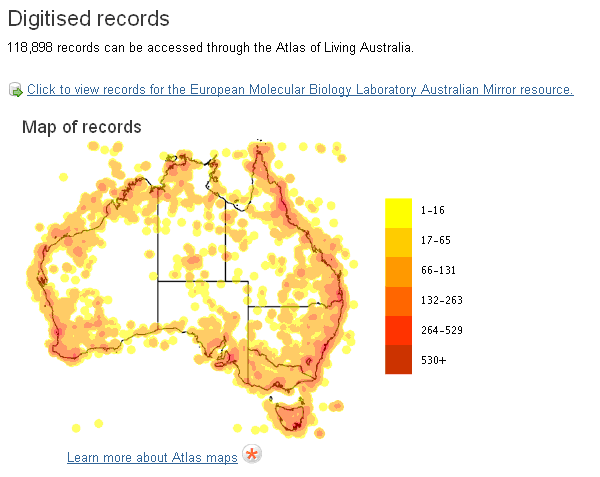
The user is taken to the Data set resource page for the ‘European Molecular Biology Laboratory Australian Mirror’ (EMBL). Scroll down the page to find the Map of records, and the link to ‘Click to view records for the European Molecular Biology Laboratory Australian Mirror resource‘.

All the occurrence records are displayed for the Data set.
Note: Another way to find to all occurrence records for a data set, is to use the Occurrence record search, but to type in the full name of the data set, in this case ‘European Molecular Biology Laboratory Australian Mirror‘. Typing the acronym will not work, as the occurrence records hold only the full data set name.
More detail to be added later »
How to find Molecular Data
The linked example, Search for Molecular Data, demonstrates how to look for known data sets that contain genetic material.
Plus it shows how to facet the occurrence searches for molecular data, then download the data.
And better still, use the Spatial Portal in a simple yet powerful way to search for molecular data, visually display the records, and download the results.